
Major providers, pre-built
The common ones (ADP RUN, ADP Workforce Now, Paychex Flex, Gusto, QuickBooks Online, and several regional providers) ship with field mappings ready to go. New tenants on these get payroll export running on day one.
Payroll & HR
Whatever payroll system your agency runs, Carelytic ships an export that lands in the format your provider expects. A three-stage run console (Draft → Approved → Paid) makes payroll an auditable lifecycle, not a mystery batch. Pay is rate-aware down to the eChart — with blended-rate overtime, holiday and weekend premiums, retro pay, and mileage — and credentials don't expire silently.
Bring your own provider
Most home health platforms list four or five payroll providers and call it a roadmap. We treat payroll export as a pipeline, not a partner list — your provider has a payroll-import format, and Carelytic produces it.
The common ones (ADP RUN, ADP Workforce Now, Paychex Flex, Gusto, QuickBooks Online, and several regional providers) ship with field mappings ready to go. New tenants on these get payroll export running on day one.
Send us a sample import file from your provider — we'll have your tenant's export pipeline in place before go-live. No "integration partnership" sales cycle, no per-integration upcharge, no waiting for a roadmap.
For agencies running custom payroll or in-house bookkeeping, the flexible CSV export ships with a documented schema. Drop it into any spreadsheet workflow that handles payroll today.
Pay types
Per-visit pay is common for PDN — a flat amount per visit regardless of duration. Hourly is the default for skilled disciplines. Salary applies to office staff. Carelytics keeps the rules straight, including the state-law nuance that PTO and holiday hours always pay hourly even for per-visit employees.
Gross = (count of distinct visits in pay period) × per-visit rate. Hours still totaled for reporting; pay is flat per visit regardless of duration.
Standard hourly with overtime and double-time multipliers. Per-state OT thresholds (40h/week federal, 8h/day in some states like California). Service-line bill rates flow into Timesheet calculation.
Fixed pay-period amount for office staff. Hours still tracked for compliance reporting (FMLA, etc.) but don't affect pay.
State-law compliance: PTO and holiday hours always pay hourly even for per-visit employees. Per-visit count comes from TimesheetEntry.visit FK; PTO/holiday entries have no visit so they're excluded automatically.
The payroll run
Carelytic treats payroll as an export tool with a clean lifecycle — and prices each shift by the work it was, not one blunt rate per person. Every line reconciles to gross; the whole run is reversible.
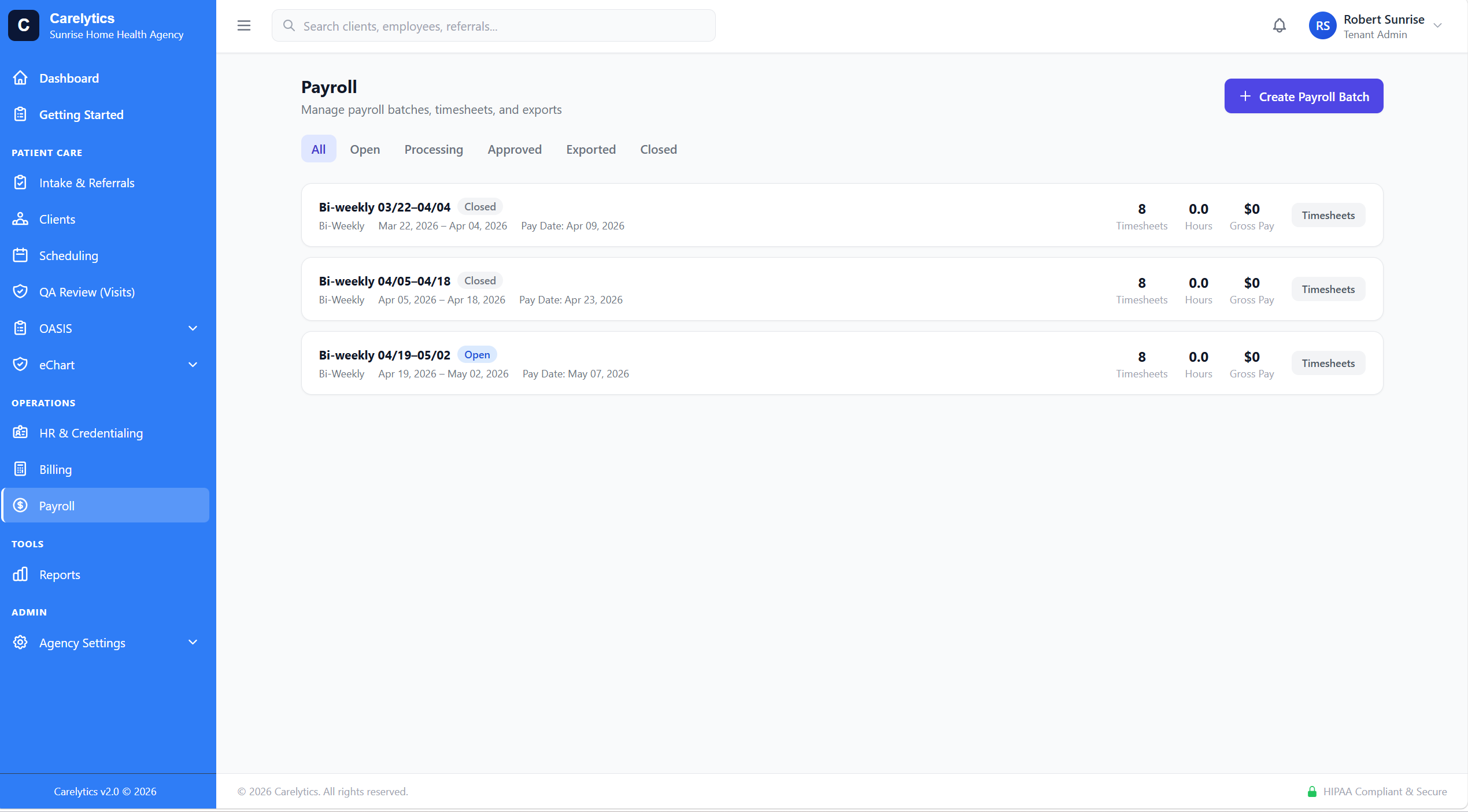
The /payroll console is a three-tab lifecycle — Draft, Approved, Paid — with employee-grain drill-down, per-line detail, and remove-line. New Payroll is one atomic action: build the run, generate the provider file + an Excel summary, and mark it Paid.
Got it wrong? Unpayroll reverses a run and frees its visits back to the pool. A recurring pay schedule and pay-period picker mean Approve picks the right periods; the console shows eChart, rate, pay, and page totals as you go.
Prior-period work that lands late exports under its own RET code (opt-in) so a catch-up doesn't quietly distort the current run — the retro is visible on the file, not smeared into regular hours.
Pay rates are per-activity and effective-dated — a SN visit, an OASIS SOC, and a recert can each carry their own rate, with the billing code and modifiers shown on the console. Base rate stays as the fallback, so simple setups stay simple.
When an employee earns multiple rates in a week, overtime is the FLSA blended (weighted-average) rate — legally correct for per-visit and mixed-rate workers, not a single-rate shortcut. Holiday and weekend premiums apply as rate multipliers off an honored-holiday calendar.
OT, holiday, weekend, and mileage rules are set once as agency defaults and inherited per employee, with per-employee overrides where you need them. Pay is confidential — the rate/amount breakdown is gated so a scheduler or read-only reviewer never sees it.
Credentials & HR
Credential expiration tracked at the employee level — and surfaced inside the visit detail page for the assigned caregiver. If an RN's license expires next Tuesday, the scheduler sees a red badge on every visit assigned to them this week. Not buried in an HR-only screen.
RN, LPN, PT, OT, SLP, MSW, HHA. Filter the workforce by discipline anywhere employees are listed — schedule, payroll, credentials.
Red badge on every visit when the assigned caregiver's credentials are expired or expiring within 30 days. Schedulers see the risk before it becomes a billing problem.
Activity audit log captures every employee record change with user, IP, timestamp, and field-level diff. Discipline-aware pay-rate defaults flow from service line.